Nine months ago I published a series of six posts about building a home server. I called it Streaming is Broken, and I stand by every word of the first one. Streaming is still broken. It got worse, actually, which I didn’t think was technically possible.
What did change is the server. When I wrote that series in December 2025, I was describing a thing I had just built. Describing something you built last Tuesday is easy, because nothing has had time to go wrong yet. Nine months of uninterrupted uptime later, I can tell you exactly which parts of that original design survived contact with reality and which parts I quietly took out the back and shot.
This post is the whole thing in one piece. Hardware, operating system, VPN, hardlinks, the full stack, and the automation that keeps a 466GB disk from filling up in two weeks. It replaces all six original posts. If you read those, you’ll recognize the skeleton. The organs are mostly different.
And honestly, that’s the part nobody writes about. Everybody publishes the build. Almost nobody comes back nine months later to tell you which half of it was wrong.
As I write this, the machine reports:
15:26:26 up 25 days, 3:23, 2 users, load average: 0.65, 0.74, 0.88
Twenty-two containers across five Compose projects, 263GB used of 466GB, and a load average that suggests the poor thing is bored. Let’s get into it.
Part One: The Iron
The Server
I went with a Mini PC, a SOYO M2 PLUS V1. I paid €120 for it. Roughly the price of a Raspberry Pi once you’ve bought the case, the power supply, the SD card and the little fan that never quite works, except this is a complete x86 machine.
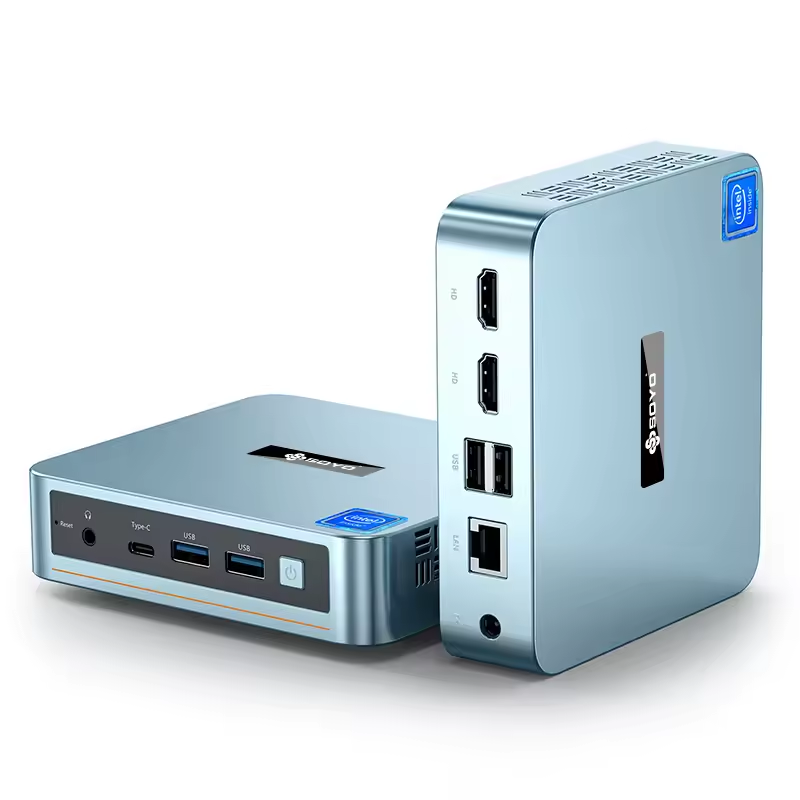
RAM: 16GB - SSD: 512GB - CPU: Intel Alder Lake N100 - GPU: Intel UHD Graphics
Three reasons this is the right class of machine:
Power consumption. The N100 runs at a TDP of roughly 6W to 15W. It can sit on 24/7 without you noticing it on the electricity bill. An old Xeon box would heat the room and cost you a monthly subscription in electricity alone, which rather defeats the purpose.
Intel QuickSync. The N100’s integrated GPU does hardware transcoding for 4K HDR and AV1. The CPU naps while the GPU converts the film for whatever device is asking. This is the single most important feature and I’ll come back to it, because I got the configuration wrong for months without noticing.
It’s boring. Nothing about this machine is interesting, which is the highest compliment I can pay a server. Linux sees a standard x86 box with standard Intel graphics. No vendor kernel, no device tree, no forum thread from 2019 where someone says “fixed it” and then never explains how.
After nine months I would change exactly one thing, which is the disk, and I’ll get to that.
The Client
My television is a 65 inch HiSense OLED. The picture is genuinely lovely. The operating system, VIDAA, is a colossal piece of junk with an app store that offers roughly nine applications, none of which I want, and no native Jellyfin.
So I bought a TELE System UP1 TV Box, Amlogic S905Y4, running Android TV. My hatred of Android TV is exceeded only by my hatred of Windows, but it’s a necessary evil.
There’s one non obvious trap here. The box advertises a “10/100Mbps Ethernet” port. For Netflix that’s plenty. For a home server pushing 4K remux files, bitrate peaks go well past 100Mbps and that port becomes the bottleneck. Against every instinct I’ve, I run the TV box on 5GHz Wi-Fi (AC) instead of the cable. It’s less stable in theory and considerably faster in practice, and the router is three meters away.
Check the Ethernet port speed before you buy a TV box. A gigabit port on a cheap box beats a 100Mbps port on an expensive one, every single time.
Debloating the Android TV Box
This is new since the original series, and it’s the highest quality of life improvement per hour invested that I’ve made all year.
Android TV boxes ship stuffed with advertising rows, recommendation engines, and applications you’ll never open. All of it runs in the background on a device with 2GB of RAM. You can strip it out over ADB without rooting anything, because pm disable-user only affects the current user profile and survives reboots.
Enable Developer Options and ADB debugging on the box, then from the server:
sudo apt-get install -y android-tools-adb
adb connect 192.168.1.xxx:5555
adb shell pm list packages -e   # everything currently enabled
Then disable what you don’t want, one package at a time:
adb shell pm disable-user --user 0 com.google.android.tvrecommendations
adb shell pm disable-user --user 0 com.google.android.leanbacklauncher.recommendations
adb shell pm disable-user --user 0 com.google.android.videos
Two warnings, both learned the hard way. First, disable things in small batches and reboot between them, because if you kill something load bearing you want to know which one it was. Second, take a snapshot before you start:
adb shell pm list packages -e > before-packages-enabled.txt
adb shell cat /proc/meminfo > before-meminfo.txt
If you want to go further, replace the launcher itself. I use FLauncher, which is free, open source, and has no advertising row because it has no advertising. Be careful which one you install, as there are copies. The genuine article is published by Étienne Fesser.
A word of caution. On my box the physical Home button is wired to the Google launcher at a level that pm set-home-activity doesn’t reach, so FLauncher opens perfectly when launched as an app and the Home button still cheerfully returns me to Google. I’ve made my peace with this. It only took a two weeks.
Part Two: The Foundation
The Operating System
Ubuntu Server 24.04 LTS, without a graphical interface. Currently running kernel 6.8.
The reasoning hasn’t changed. Windows spends 2GB to 4GB of RAM simply existing, and Docker on Windows adds a WSL2 virtualization layer that ruins I/O performance. On an N100, that’s throwing away a meaningful fraction of the machine you paid for.
Don’t use Windows. Forget this crap.
A server doesn’t need a mouse, windows, or wallpapers. Everything from here’s SSH from my main computer.
Day One in One Script
Installing Ubuntu from scratch means repositories, dependencies, permissions, and system files, and that’s precisely where errors creep in that cost you dearly six months later. So I wrote a script. It’s self explanatory and it’s the same one I published in the original series, because it still works.
#!/bin/bash

if [ "$EUID" -ne 0 ]; then
  echo "Please run as root (sudo ./install.sh)"
  exit 1
fi

REAL_USER=$SUDO_USER
if [ -z "$REAL_USER" ]; then
  echo "Could not detect sudo user. Exiting."
  exit 1
fi

USER_UID=$(id -u $REAL_USER)
USER_GID=$(id -g $REAL_USER)
USER_HOME=$(getent passwd $REAL_USER | cut -d: -f6)
BASE_DIR="$USER_HOME/Docker/media"

apt update && apt upgrade -y
apt install -y curl gnupg ca-certificates lsb-release cifs-utils samba vim git \
               net-tools intel-media-va-driver-non-free libmfx1 vainfo

if ! command -v docker &> /dev/null; then
    mkdir -p /etc/apt/keyrings
    curl -fsSL https://download.docker.com/linux/ubuntu/gpg \
      | gpg --dearmor -o /etc/apt/keyrings/docker.gpg
    echo \
      "deb [arch=$(dpkg --print-architecture) signed-by=/etc/apt/keyrings/docker.gpg] \
      https://download.docker.com/linux/ubuntu $(lsb_release -cs) stable" \
      | tee /etc/apt/sources.list.d/docker.list > /dev/null
    apt update
    apt install -y docker-ce docker-ce-cli containerd.io docker-compose-plugin
    usermod -aG docker $REAL_USER
fi

usermod -aG render $REAL_USER
usermod -aG video $REAL_USER

mkdir -p $BASE_DIR/data/{torrents/{incomplete,movies,tv},media/{movies,tv,manga,comics},manga,podcasts}
mkdir -p $BASE_DIR/Settings

chown -R $REAL_USER:$REAL_USER $BASE_DIR
chmod -R 775 $BASE_DIR

cat <<EOF >> /etc/sysctl.conf
net.ipv6.conf.all.disable_ipv6 = 1
net.ipv6.conf.default.disable_ipv6 = 1
net.ipv6.conf.lo.disable_ipv6 = 1
EOF
sysctl -p

sed -r -i.orig 's/#?DNSStubListener=yes/DNSStubListener=no/g' /etc/systemd/resolved.conf
sed -r -i 's/#?DNS=/DNS=1.1.1.1 8.8.8.8/g' /etc/systemd/resolved.conf
rm -f /etc/resolv.conf
ln -s /run/systemd/resolve/resolv.conf /etc/resolv.conf
systemctl restart systemd-resolved

TZ=$(timedatectl show -p Timezone --value)

cat <<EOF > $BASE_DIR/.env
PUID=$USER_UID
PGID=$USER_GID
TZ=$TZ
VPN_USER=vpn_username_here
VPN_PASS=vpn_password_here
EOF

chmod 600 $BASE_DIR/.env
chown $REAL_USER:$REAL_USER $BASE_DIR/.env

echo "Done. Edit $BASE_DIR/.env, then reboot."
What it actually does, and why each part matters:
Docker from the official repository, not the distribution package, which is always several versions behind.
Intel QuickSync drivers. Ubuntu Server ships generic drivers. The script installs
intel-media-va-driver-non-freeand adds your user to therenderandvideogroups. Without this, transcoding falls back to software and your N100 will be very sad.IPv6 removed at the kernel level. This is optional and it’s also the single highest value line in the script. IPv6 leaks are the number one failure mode of home VPN setups. If IPv6 doesn’t exist, neither Docker nor qBittorrent nor the VPN can leak through it. Problem solved by amputation.
The directory tree, created once with correct ownership. If you get this wrong now, hardlinks fail later and you’ll not understand why. More on this shortly.
DNSStubListener=no, which frees port 53 for AdGuard. We’ll come back to this too.
A Static IP, Done Properly
Your server needs a stable address, obviously. There are two ways to do this.
The wrong way. Set a static IP inside Ubuntu with netplan. This works beautifully until you change router or move house, at which point you’re hunting for an HDMI cable and a keyboard to fix a headless server. We specifically didn’t install a graphical interface. Don’t build a reason to need one.
The right way. Set a DHCP reservation on the router, bound to the server’s MAC address. The server stays on DHCP and always receives the same address. Change networks and it simply picks up a new one and carries on. All the configuration lives in one place.
Mine sits at 192.168.1.200/24 on enp1s0, and every address in this post refers to that.
Part Three: The Fortress
Before we cast the actors, let’s deal with the backstage. Regardless of whether you live somewhere that actively punishes piracy, nobody should know how you use your local network. Privacy matters!
If you start a torrent on a fresh server right now, your real IP is visible to every peer in the swarm, and ads, trackers and telemetry flow freely through your house. We’re going to fix both.
The Sidecar Gateway
The amateur approach is to install a VPN client on the host. This is bad, because it encrypts everything, including your SSH session and your 80Mbps Jellyfin stream to the living room, killing, butchering and skinning performance in the process.
Instead we use the Sidecar pattern:
- One container, Gluetun, whose entire job is to hold open a VPN tunnel.
- The sensitive containers don’t get their own network. They’re declared with
network_mode: service:gluetun. - They piggyback on Gluetun’s network stack. They have no independent route to the internet. If Gluetun dies, their internet dies with it. That isn’t a configuration, it’s a structural fact, and it’s a far better kill switch than any application setting.
  gluetun:
    image: qmcgaw/gluetun
    container_name: gluetun
    cap_add: [NET_ADMIN]
    devices: [/dev/net/tun:/dev/net/tun]
    ports:
      - "8080:8080"      # qBittorrent WebUI
      - "9696:9696"      # Prowlarr
      - "8191:8191"      # FlareSolverr
      - "6881:6881"      # Torrent TCP
      - "6881:6881/udp"  # Torrent UDP
      - "8989:8989"      # Sonarr
      - "7878:7878"      # Radarr
      - "6767:6767"      # Bazarr
      - "25600:25600"    # Komga
      - "53:53/tcp"      # AdGuard DNS
      - "53:53/udp"      # AdGuard DNS
      - "3002:3000"      # AdGuard WebUI
      - "5055:5055"      # Jellyseerr
    environment:
      - PUID=${PUID}
      - PGID=${PGID}
      - TZ=${TZ}
      - VPN_SERVICE_PROVIDER=custom
      - VPN_TYPE=openvpn
      - OPENVPN_USER=${VPN_USER}
      - OPENVPN_PASSWORD=${VPN_PASS}
      - OPENVPN_CUSTOM_CONFIG=/gluetun/custom.conf
      - FIREWALL_INPUT_PORTS=8080,9696,8191,8989,7878,6767,25600,53,3000,5055
      - FIREWALL_OUTBOUND_SUBNETS=192.168.1.0/24
      - DOT=off
    volumes:
      - ./Settings/Gluetun:/gluetun:ro
    restart: unless-stopped
Four details in there that took me real time to get right:
Every published port lives on the Gluetun block. A container sharing another container’s network stack cannot publish its own ports. Sonarr’s
8989is declared here, not on Sonarr. This looks wrong the first time you see it and it’s correct.FIREWALL_OUTBOUND_SUBNETS=192.168.1.0/24. Without this, Gluetun’s firewall blocks the containers from reaching your own LAN. That breaks anything talking back to a host service, such as Sonarr notifying Jellyfin to refresh a library.DOT=offdisables Gluetun’s built in DNS over TLS resolver. It has to go, because AdGuard wants port 53 inside that network namespace and the two will fight over it. Only one of them can win and it should be AdGuard.:roon the Gluetun volume. The container has no business writing to its own configuration directory.
I use a paid provider, Surfshark, via a custom OpenVPN config. Please don’t use a free VPN for this. Free VPNs are free because you’re the product, and in this specific context “you’re the product” has a rather more literal meaning than usual.
The Dirty Group and the Clean Group
Not everything belongs behind the tunnel. The stack is deliberately split.
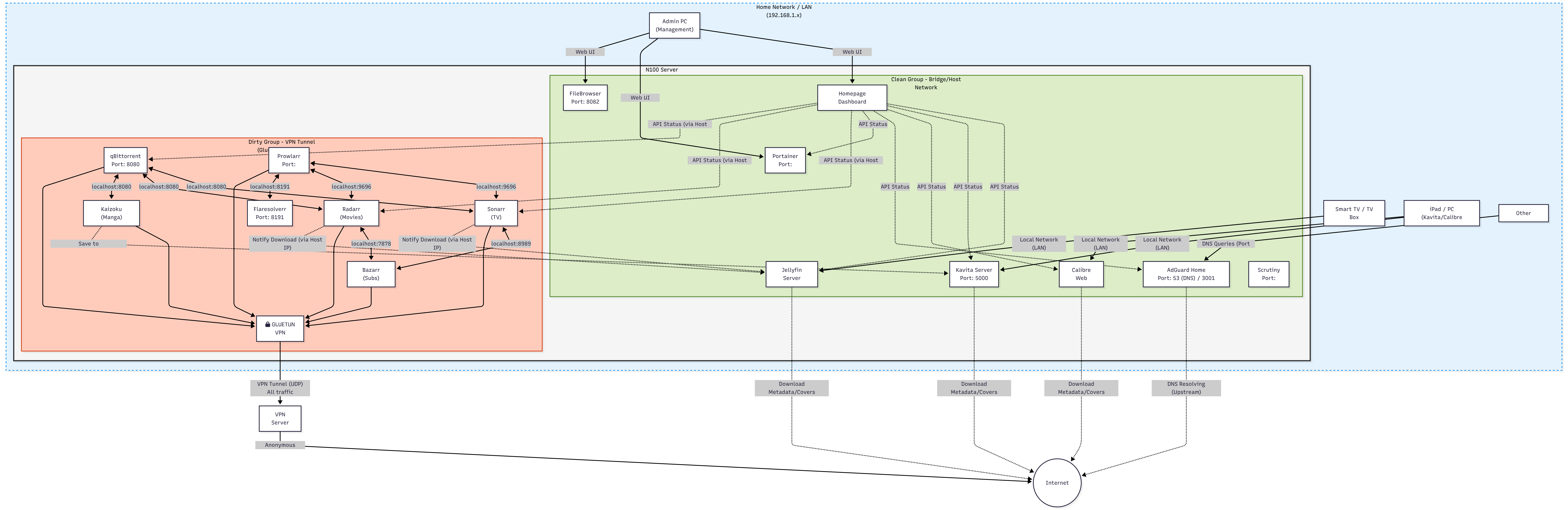
The dirty group, routed through Gluetun: qBittorrent, Prowlarr, FlareSolverr, Sonarr, Radarr, Bazarr, Recyclarr, Decluttarr, Komga, Jellyseerr, AdGuard. Anything that talks to public indexers or swarms. Eleven containers.
The clean group, straight onto the bridge: Jellyfin and Audiobookshelf, plus everything in the infra project. Jellyfin streams high bitrate 4K to a television three meters away. Pushing that through an encrypted tunnel to Amsterdam and back would burn CPU and add latency for absolutely no benefit. That traffic is local and it stays local.
The dividing line is simple. Does this container talk to strangers on the internet? Behind the VPN. Does it only serve my own house? Straight onto the LAN.
AdGuard Home and the Battle for Port 53
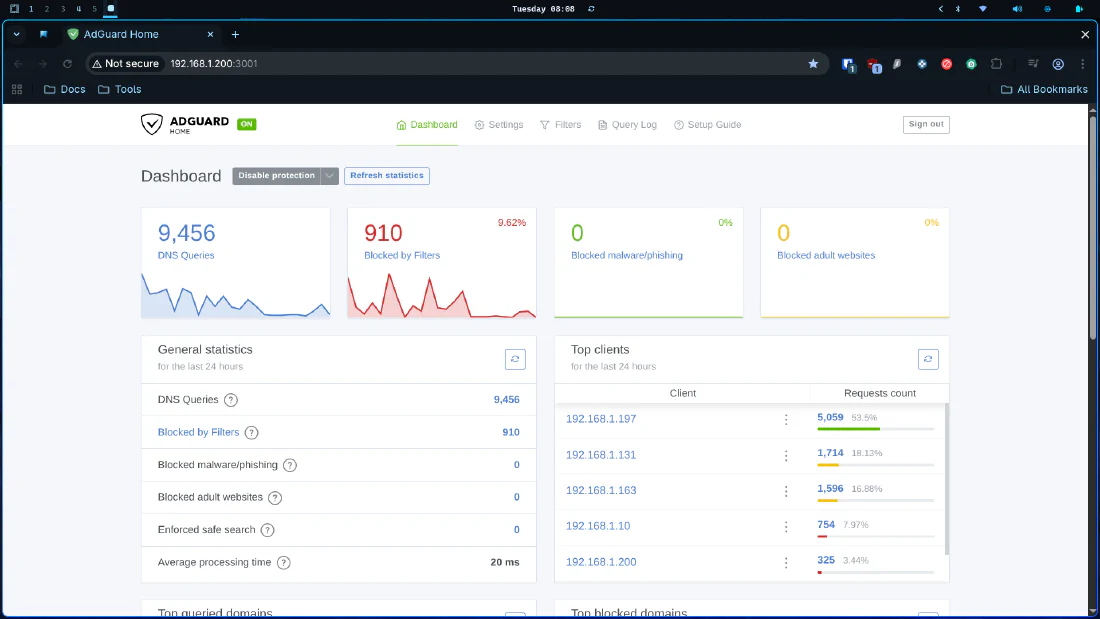
A browser extension protects a browser. AdGuard Home operates at the network level and protects everything, including the devices where you can’t install anything, such as the television that would very much like to tell HiSense what you watched last night.
The logic is blunt. Legitimate request, let it through. Request to a known advertising, tracking or telemetry domain, return nothing. The connection dies before a single byte of junk is downloaded.
Here’s the first real boss fight of the installation. DNS runs on port 53, and modern Ubuntu is possessive about it, because systemd-resolved is already sitting there. Try to start the container and Docker will tell you the address is already in use.
The amateur fix is to run AdGuard on port 5353, which breaks compatibility with most routers and devices and is therefore not a fix at all. The surgical fix is to leave systemd-resolved running for internal name resolution and simply evict it from the public port:
sudo sed -r -i.orig 's/#?DNSStubListener=yes/DNSStubListener=no/g' /etc/systemd/resolved.conf
sudo sed -r -i 's/#?DNS=/DNS=1.1.1.1 8.8.8.8/g' /etc/systemd/resolved.conf
sudo rm -f /etc/resolv.conf
sudo ln -s /run/systemd/resolve/resolv.conf /etc/resolv.conf
sudo systemctl restart systemd-resolved
We told Ubuntu: keep resolving names internally, but get off the public port, because AdGuard lives there now. Turned out pretty damn cool, right?
  adguardhome:
    image: adguard/adguardhome
    container_name: adguardhome
    network_mode: "service:gluetun"
    volumes:
      - /home/donkey/Docker/media/Settings/AdGuard/work:/opt/adguardhome/work
      - /home/donkey/Docker/media/Settings/AdGuard/conf:/opt/adguardhome/conf
    depends_on:
      gluetun:
        condition: service_healthy
    restart: unless-stopped
Note that AdGuard is inside the tunnel here, which is a change from the original series. I moved it in deliberately, so that upstream DNS queries exit through the VPN rather than announcing my browsing habits to my ISP. The latency cost is a few milliseconds on cache misses and isn’t detectable in use. I was wrong the first time and this is better.
I run HaGeZi Multi Light plus OISD Big, roughly 818,000 rules between them. Multi Light rather than Multi Pro, because Pro breaks things and then your wife asks why the shopping site is broken and you’ve to explain DNS at dinner.
Point your router’s DHCP DNS setting at the server’s IP, or none of this does anything at all.
Part Four: Hardlinks and Permissions
You could skip this section and the server would work fine. For a little while. Then you would notice that a 50GB download somehow consumed 100GB of disk.
The Problem
In a naive setup:
- qBittorrent downloads a film to
/downloads. - Radarr sees it, copies it to
/movies, renames it nicely, hands it to Jellyfin. - You now hold the dirty file (seeding) and the clean file (watching). Same film, twice the space.
- On top of that, the copy hammers the SSD and burns CPU for no reason.
The Solution
A file on disk isn’t really a thing. It’s a numerical address pointing at a physical location, plus a name pointing at that address.
- A normal file is one name pointing at address 12345.
- A hardlink is a second name pointing at that same address.
The operating system shows you two files in two folders. The disk holds one. Delete either name and the other still works. The space is only released when the last name is gone. Instant copies, taking milliseconds, at zero additional cost.
There’s a catch, because there’s always a catch. Hardlinks cannot cross file systems, and Docker treats every mapped volume as a separate file system.
This is the classic failure:
# WRONG. Radarr sees two different "disks" and falls back to copying.
qbittorrent:
  volumes:
    - /home/donkey/downloads:/downloads
radarr:
  volumes:
    - /home/donkey/media:/movies
And this is the fix. Mount one common root into every container that touches media:
# RIGHT. One volume, one file system, hardlinks work.
qbittorrent:
  volumes:
    - /home/donkey/Docker/media/data:/data
radarr:
  volumes:
    - /home/donkey/Docker/media/data:/data
qBittorrent downloads to /data/torrents, Radarr links into /data/media/movies. Same volume, same file system, Linux permits the link, everybody goes home happy.
My tree on disk:
/home/donkey/Docker/media/data/
├── media/
│   ├── movies/      # Radarr root folder
│   ├── tv/          # Sonarr root folder
│   ├── comics/
│   └── manga/
├── manga/           # Komga library
├── podcasts/        # Audiobookshelf
└── torrents/
    ├── incomplete/  # qBittorrent temp path
    ├── movies/
    └── tv/
Right now that’s 225GB of media against 4.2GB of torrents. Those numbers only make sense because the links are working. If hardlinks were silently failing, the torrents directory would be roughly the same size as the media directory, and that’s the fastest way to check whether yours are working too.
Permissions
Linux is unsentimental about ownership. If qBittorrent writes a file as user A, Radarr running as user B cannot rename it. We’re not going to solve this with chmod 777, because that isn’t a solution, it’s a surrender.
Use PUID and PGID. Every container runs as your main user, uid and gid 1000:
PUID=1000
PGID=1000
TZ=Europe/Rome
Every service in the stack reads those three variables from .env. Everything in data/ and Settings/ stays owned by donkey:donkey. No chown cron job, no mystery permission errors at two in the morning.
chmod 600your.envfiles. They hold your VPN credentials in plain text, which is the standard Compose pattern and is fine precisely because nobody else can read them.
Part Five: The Shape of the Thing
Here’s the first genuinely large change since the original series.
I used to run one Compose file with nineteen services in it. It worked, and it was a nightmare to reason about, because restarting the dashboard and restarting the torrent client were the same kind of operation on the same object, when they have nothing whatsoever to do with each other.
Now the stack is split by purpose, into four directories that produce five independent Compose projects:
/home/donkey/Docker/
├── media/           project "media"     - gluetun, the arr stack, Jellyfin, Audiobookshelf
├── infra/           project "infra"     - Homepage, Uptime Kuma, Diun, FileBrowser
├── utilities/
│   ├── memos/       project "memos"     - notes
│   └── maintainerr/                     - library lifecycle
└── projects/
    └── zena-food/                       - an unrelated app that just lives here
The split isn’t aesthetic. It follows a hard Docker constraint: only containers in the same Compose project can share a network namespace. Anything using network_mode: service:gluetun must live in the same project as Gluetun. That’s the real boundary, so I made it the organizing principle. Everything with no such dependency gets its own project and its own lifecycle.
Each comes up independently:
docker compose -f /home/donkey/Docker/media/media-compose.yml up -d
docker compose -f /home/donkey/Docker/infra/infra-compose.yml up -d
docker compose -f /home/donkey/Docker/utilities/memos/docker-compose.yml up -d
docker compose -f /home/donkey/Docker/utilities/maintainerr/docker-compose.yml up -d
The practical benefit is that I can rebuild the entire dashboard stack at lunchtime without anybody noticing, because the television is served by a completely separate project that I didn’t touch.
There’s one sharp edge and it has bitten me twice, so I’ll put it in a box:
docker compose restart gluetundoesn’t restart the containers that share its network namespace. They keep a stale reference and quietly lose the network. After touching Gluetun, always rundocker compose -f media-compose.yml up -dinstead, which reattaches everything properly.
Part Six: The Media Stack
The flow, end to end:
- I ask for something in Jellyseerr.
- Jellyseerr sends the request to Radarr (films) or Sonarr (series).
- They search indexers managed by Prowlarr, with FlareSolverr handling anything hiding behind Cloudflare.
- qBittorrent downloads it, through Gluetun.
- Sonarr or Radarr hardlinks it into the library and names it properly.
- Bazarr fetches subtitles.
- Jellyfin serves it to the television.
- Maintainerr deletes it three days after I watch it.
That last step is the one that makes the whole design viable on a 466GB disk, and it didn’t exist in the original series.
qBittorrent
As established, piracy is the worst crime known to civilization, I adore companies that sell me a worse product every year, and I take genuine pleasure in paying more for less. For legal reasons, obviously.
  qbittorrent:
    image: lscr.io/linuxserver/qbittorrent:latest
    container_name: qbittorrent
    network_mode: "service:gluetun"
    environment:
      - PUID=${PUID}
      - PGID=${PGID}
      - TZ=${TZ}
      - WEBUI_PORT=8080
    volumes:
      - /home/donkey/Docker/media/Settings/Qbittorrent:/config
      - /home/donkey/Docker/media/data:/data
    depends_on:
      gluetun:
        condition: service_healthy
    restart: unless-stopped
depends_on with condition: service_healthy is the important line. qBittorrent won’t even start until Gluetun reports a healthy tunnel. There’s no window in which it’s running and unprotected.
Three settings that matter more than the defaults suggest:
Share limits. This is how downloads eventually leave the disk on their own:
Session\ShareLimitAction=RemoveWithContent
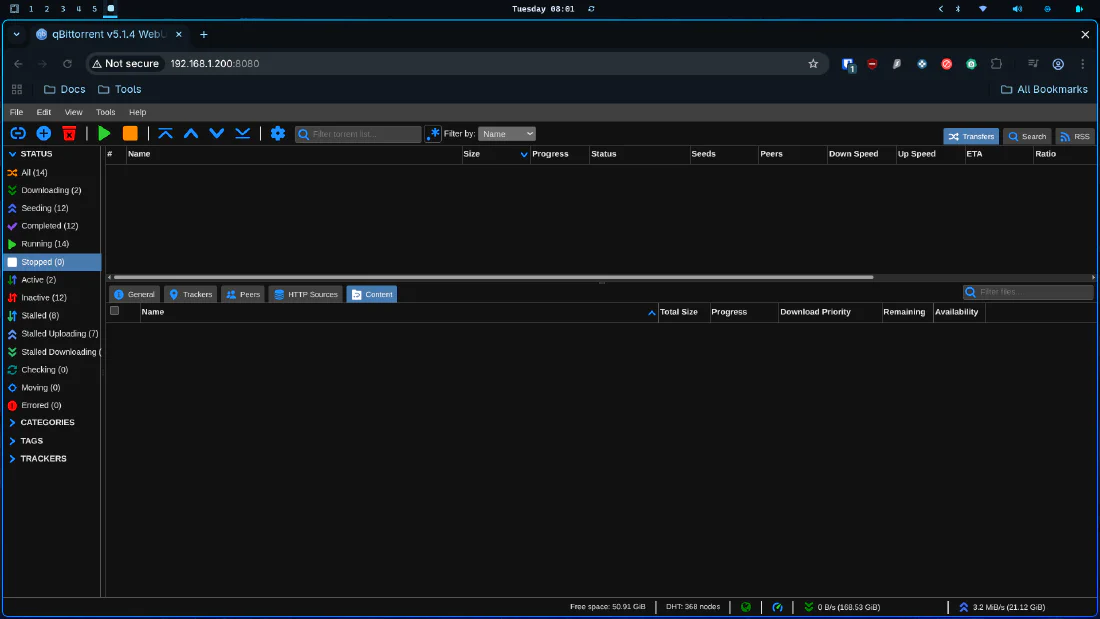
Paired with a seeding time limit of three days in the UI. Seed for three days, then the torrent and its files are removed. I originally set seven days, which is more generous to the swarm, and reduced it to three when the disk got tight. Three days on a public tracker is a fair contribution. If you’ve the space, seed for longer, because the whole thing collapses if nobody does.
A separate incomplete directory. Downloads in progress go somewhere else entirely:
Session\TempPathEnabled=true
Session\TempPath=/data/torrents/incomplete
Session\DefaultSavePath=/data/torrents
This stops Sonarr and Radarr from trying to import a file that’s still being written, which produces a specific and maddening class of bug where a series imports one corrupt episode and then refuses to try again.
An exclusion list. Torrents contain things other than video. Some of that’s spam and some of it’s malware:
Session\ExcludedFileNamesEnabled=true
Session\ExcludedFileNames=*.exe *.msi *.bat *.cmd *.scr *.vbs *.js *.ps1 *.lnk
  *.apk *.dmg *.jar *.zip *.rar *.7z *.iso *.txt *.nfo *.url *.website
  *sample.mkv *sample.avi *sample.mp4
An .exe inside a film torrent is never a codec pack. It’s never once been a codec pack in the entire history of the internet.
For the rest, I’m not going to reinvent the wheel. The TRaSH Guides are better than anything I would write:
Prowlarr: The Indexer Manager
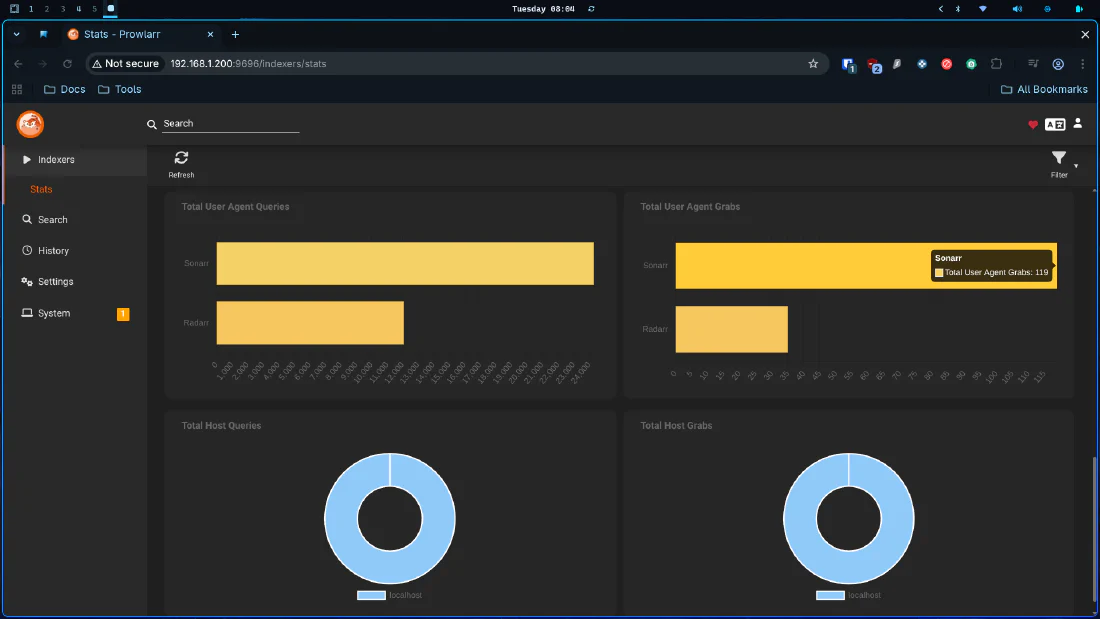
Prowlarr is the unsung hero of the stack. It’s the switchboard operator connecting your requests to torrent indexers, and you configure your indexers once here rather than pasting tracker URLs into five separate interfaces.
  prowlarr:
    image: ghcr.io/hotio/prowlarr:latest
    container_name: prowlarr
    network_mode: "service:gluetun"
    environment:
      - PUID=${PUID}
      - PGID=${PGID}
      - TZ=${TZ}
    volumes:
      - /home/donkey/Docker/media/Settings/Prowlarr:/config
    depends_on:
      gluetun:
        condition: service_healthy
    restart: unless-stopped
Nine months in, here’s the thing nobody tells you about Prowlarr. Set query and grab limits on every indexer. I didn’t, for months, and the result was a slow drip of misery: indexers returning HTTP 429, Prowlarr auto disabling them, searches quietly failing, and me wondering why nothing was downloading.
I now run queryLimit=50 and grabLimit=20 per day on the public indexers. One indexer had auto disabled itself 41 times in 8 days, at which point I stopped trying to be diplomatic and removed it. There’s a lesson in there about knowing when something isn’t going to improve.
Also, if you use FlareSolverr, tag every indexer that needs it, not just the one that was obviously broken when you set it up. Mine had the tag on exactly one indexer and I had assumed it applied globally. It doesn’t.
FlareSolverr: The Cloudflare Bypass
  flaresolverr:
    image: ghcr.io/flaresolverr/flaresolverr:latest
    container_name: flaresolverr
    network_mode: "service:gluetun"
    environment:
      - TZ=${TZ}
    depends_on:
      gluetun:
        condition: service_healthy
    restart: unless-stopped
A headless browser that solves Cloudflare challenges on behalf of Prowlarr. Configure it once in Prowlarr, add the tag to each indexer that needs it, and forget it exists. It’s like keeping a very patient lawyer on retainer purely to argue with doormen. Guide here.
Sonarr and Radarr
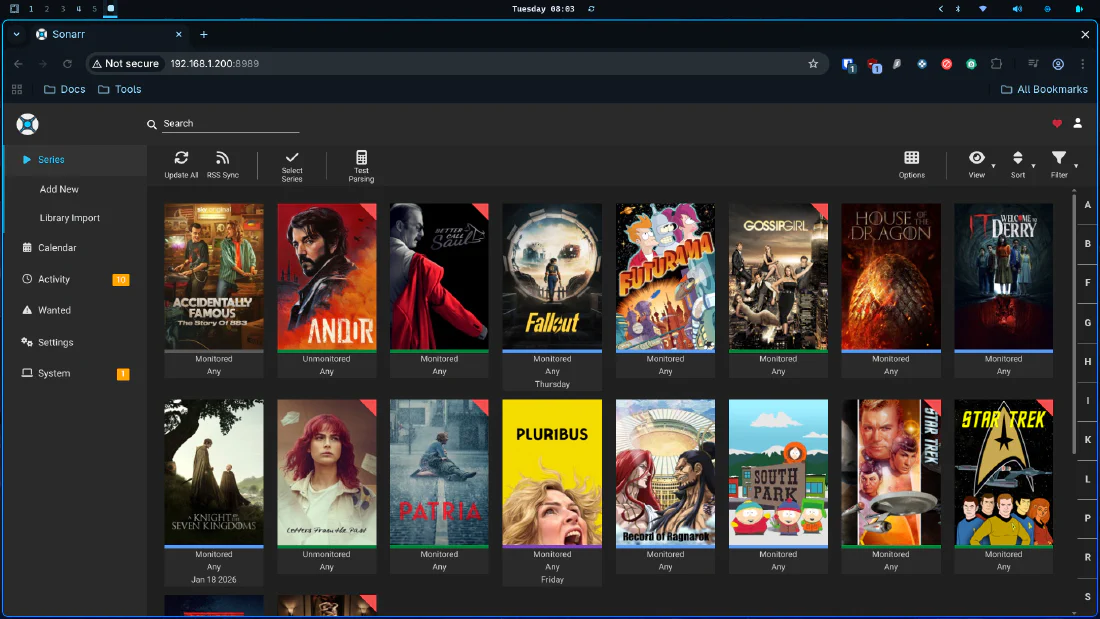
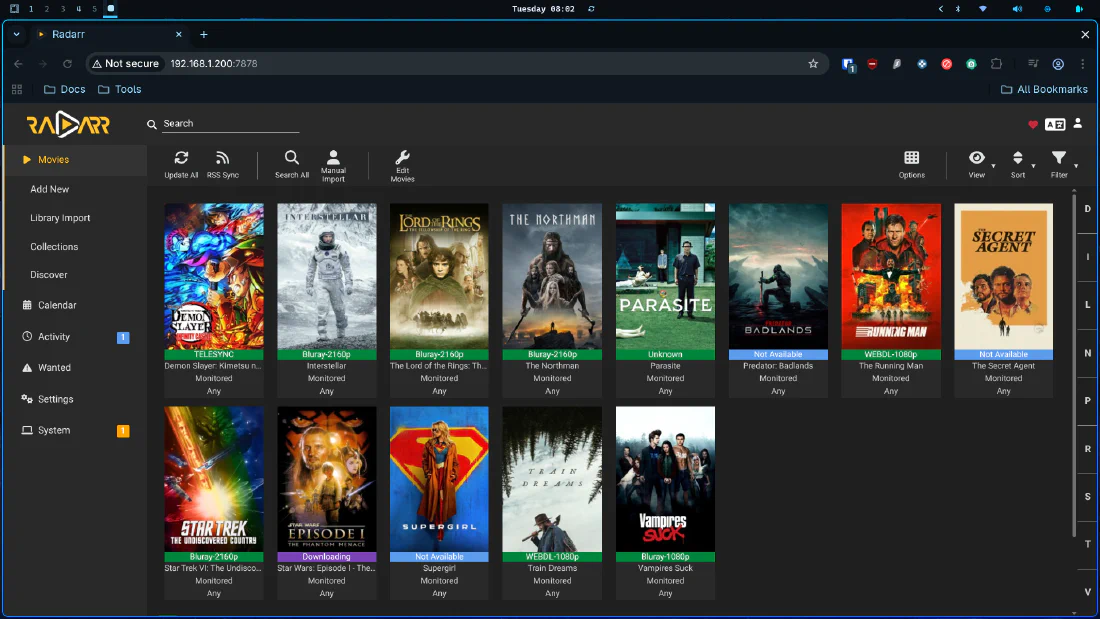
Sonarr handles series, Radarr handles films. Same logic, different content type.
  sonarr:
    image: ghcr.io/linuxserver/sonarr:latest
    container_name: sonarr
    network_mode: "service:gluetun"
    environment:
      - PUID=${PUID}
      - PGID=${PGID}
      - TZ=${TZ}
    volumes:
      - /home/donkey/Docker/media/Settings/Sonarr:/config
      - /home/donkey/Docker/media/data:/data
    depends_on:
      gluetun:
        condition: service_healthy
    restart: unless-stopped

  radarr:
    image: ghcr.io/linuxserver/radarr:latest
    container_name: radarr
    network_mode: "service:gluetun"
    environment:
      - PUID=${PUID}
      - PGID=${PGID}
      - TZ=${TZ}
    volumes:
      - /home/donkey/Docker/media/Settings/Radarr:/config
      - /home/donkey/Docker/media/data:/data
    depends_on:
      gluetun:
        condition: service_healthy
    restart: unless-stopped
Configuration:
- Root folders:
/data/media/tvand/data/media/movies. Container paths, not host paths. This trips up everybody at least once. - Download client: qBittorrent at
http://localhost:8080. Not the container name, not the LAN IP. They share Gluetun’s network namespace, so to them,localhostgenuinely is each other. - Quality profiles: leave them alone and let Recyclarr manage them, which we’ll get to in a moment.
That localhost point deserves emphasis, because it’s the single most common configuration error in this architecture:
Inside the Gluetun namespace, services talk to each other on
localhost:<port>. Prowlarr reaches Sonarr athttp://localhost:8989. From a different Compose project, such as the Homepage dashboard, you must usehttp://192.168.1.200:8989instead, because separate projects don’t share a network. Using the container name works in neither case.
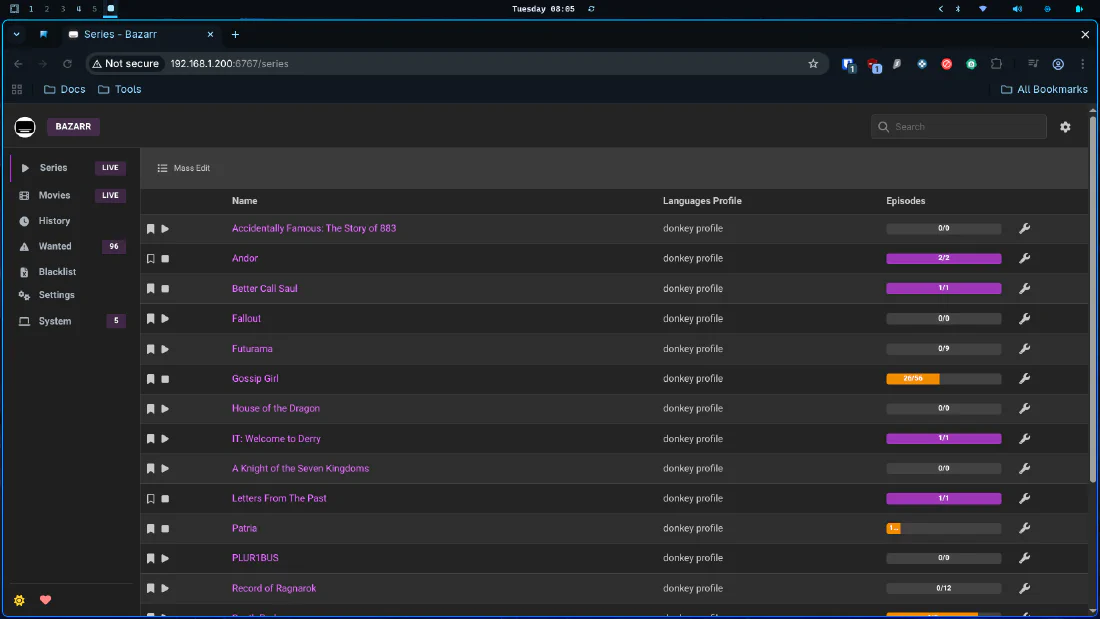
Bazarr: The Subtitle Specialist
Remember me complaining about Netflix subtitles in the first post of the original series? This is the answer.
  bazarr:
    image: lscr.io/linuxserver/bazarr:latest
    container_name: bazarr
    network_mode: "service:gluetun"
    environment:
      - PUID=${PUID}
      - PGID=${PGID}
      - TZ=${TZ}
    volumes:
      - /home/donkey/Docker/media/Settings/Bazarr:/config
      - /home/donkey/Docker/media/data:/data
    depends_on:
      gluetun:
        condition: service_healthy
    restart: unless-stopped
Connect it to Sonarr and Radarr with API keys, pick your languages and providers, and let it work. It will also upgrade subtitles later if a better version appears.
One hard won piece of knowledge. When subtitles are consistently out of sync for a specific series, the problem is almost never Bazarr. It’s that the series has been renumbered. Some shows exist as a five episode season on one metadata provider and a three episode season on another, usually because episodes were merged for broadcast. Bazarr is faithfully fetching the correct subtitle for episode three of a numbering scheme your file doesn’t use. Fix the numbering in Sonarr, then let Bazarr re fetch. No amount of clicking “sync” will save you otherwise.
Recyclarr: Quality Profiles That Manage Themselves
New since the original series, and it removed an entire category of decision making from my life.
Quality profiles are the difference between a beautiful 4K remux and a 700MB file with hardcoded Russian subtitles and a man’s silhouette walking across the screen at minute forty. The TRaSH Guides community maintains excellent profiles. Recyclarr syncs them into Sonarr and Radarr automatically, every day.
  recyclarr:
    image: ghcr.io/recyclarr/recyclarr
    container_name: recyclarr
    network_mode: "service:gluetun"
    user: 1000:1000
    env_file:
      - ./.env.recyclarr
    environment:
      - TZ=${TZ}
    volumes:
      - /home/donkey/Docker/media/Settings/Recyclarr/config:/config
    depends_on:
      gluetun:
        condition: service_healthy
    restart: unless-stopped
# Settings/Recyclarr/config/recyclarr.yml
sonarr:
  sonarr-main:
    base_url: http://localhost:8989
    api_key: !env_var RECYCLARR_SONARR_API_KEY

    quality_definition:
      type: series

    quality_profiles:
      - name: WEB-2160p + 1080p
        reset_unmatched_scores:
          enabled: true
        upgrade:
          allowed: true
          until_quality: WEB 2160p
          until_score: 10000
        min_format_score: 0
        quality_sort: top
        qualities:
          - name: WEB 2160p
            qualities: [WEBDL-2160p, WEBRip-2160p]
          - name: WEB 1080p
            qualities: [WEBDL-1080p, WEBRip-1080p]
          - name: HDTV-1080p

    custom_formats:
      - trash_ids:
          - d660701077794679fd59e8bdf4ce3a29  # WEB Tier 01
          - 3a3ff47579026e76d6504ebea39390de  # WEB Tier 02
          - bf400498284b433a1f37f04edaf2afe6  # WEB Tier 03
        quality_profiles:
          - name: WEB-2160p + 1080p
Preview before you apply, always:
docker exec recyclarr recyclarr sync --preview
Now the trap, which cost me an evening. Don’t create quality profiles or custom formats by hand once Recyclarr is running. I had manually made thirteen custom formats with names that happened to match TRaSH ones. Recyclarr saw the name collision, politely skipped them on every single daily sync, and I spent weeks wondering why my scoring never matched the guide. The fix was to delete all thirteen and let Recyclarr recreate them with the correct trash IDs. It then re scored both profiles correctly in about four seconds.
If Recyclarr owns your profiles, let it own them. A tool that manages configuration and a human who also manages configuration will fight forever, and the tool has considerably more stamina.
Decluttarr: The Garbage Man
Downloads stall. Torrents die. Files import badly. Left alone, your queue accumulates a sediment of broken things that quietly consume disk and slots.
Decluttarr watches the queue and removes what isn’t going anywhere. No web interface. It simply works.
  decluttarr:
    image: ghcr.io/manimatter/decluttarr:latest
    container_name: decluttarr
    network_mode: "service:gluetun"
    environment:
      - TZ=${TZ}
    env_file:
      - .env.decluttarr
    volumes:
      - /home/donkey/Docker/media/Settings/Decluttarr/config.yaml:/app/config/config.yaml:ro
    depends_on:
      gluetun:
        condition: service_healthy
    restart: unless-stopped
# Settings/Decluttarr/config.yaml
general:
  log_level: INFO
  timer: 10
  private_tracker_handling: skip
  public_tracker_handling: obsolete_tag
  obsolete_tag: Obsolete
  protected_tag: Keep

job_defaults:
  max_strikes: 3
  min_speed: 100
  max_concurrent_searches: 3
  min_days_between_searches: 7

jobs:
  remove_failed_downloads:  { enabled: true }
  remove_failed_imports:    { enabled: true }
  remove_metadata_missing:  { enabled: true }
  remove_missing_files:     { enabled: true }
  remove_orphans:           { enabled: true }
  remove_stalled:           { enabled: true }
  remove_slow:              { enabled: false }
  remove_unmonitored:       { enabled: false }

instances:
  sonarr:
    - base_url: http://localhost:8989
      api_key: !ENV SONARR_KEY
  radarr:
    - base_url: http://localhost:7878
      api_key: !ENV RADARR_KEY
Two settings deserve your attention. max_strikes: 3 means a download must fail the same check three consecutive times before removal, which prevents a momentary speed dip from killing a perfectly healthy torrent. And remove_slow: false, because I turned it on, watched it delete three series that were merely having a quiet afternoon, and turned it off again. The Keep protected tag exists for anything you want it to never touch.
I ran this too aggressively at first. Don’t repeat that. A cleanup tool that removes things you wanted is strictly worse than no cleanup tool at all.
Komga: Manga and Comics
Kaizoku, Kavita and Calibre-Web are all gone, replaced by one container that does the job of all three without complaining.
  komga:
    image: gotson/komga:latest
    container_name: komga
    network_mode: "service:gluetun"
    environment:
      - PUID=${PUID}
      - PGID=${PGID}
      - TZ=${TZ}
      - JAVA_TOOL_OPTIONS=-Xmx512m
    volumes:
      - /home/donkey/Docker/media/Settings/Komga:/config
      - /home/donkey/Docker/media/data/manga:/data
    depends_on:
      gluetun:
        condition: service_healthy
    restart: unless-stopped
JAVA_TOOL_OPTIONS=-Xmx512m isn’t optional. Komga runs on the JVM, and the JVM’s opinion of how much memory it’s entitled to is best described as ambitious. Capped at 512MB it’s a perfectly polite neighbor. Uncapped on a 16GB box it will help itself.
Jellyseerr: The Request Manager
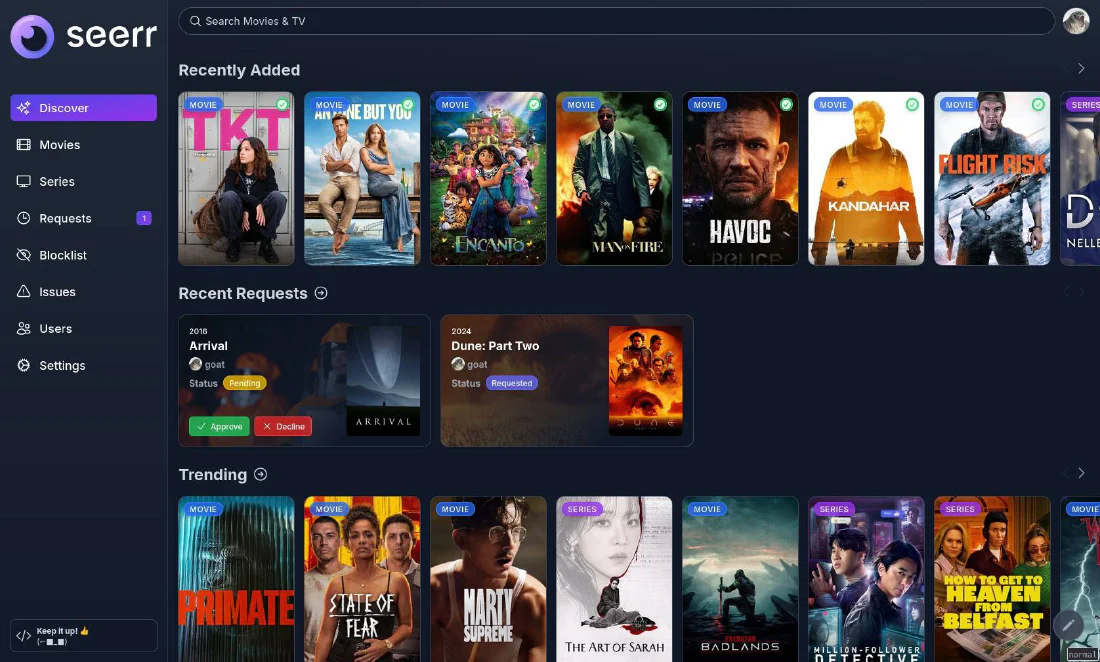
This replaced Overseerr, because Overseerr doesn’t speak Jellyfin properly and Jellyseerr does. The project has since renamed itself to Seerr, so the image name and the container name no longer agree, which is mildly irritating and entirely cosmetic.
  jellyseerr:
    image: ghcr.io/seerr-team/seerr:v3.2.0
    container_name: jellyseerr
    network_mode: "service:gluetun"
    init: true
    user: node
    environment:
      - TZ=${TZ}
      - LOG_LEVEL=info
    volumes:
      - /home/donkey/Docker/media/Settings/Jellyseerr:/app/config
    depends_on:
      gluetun:
        condition: service_healthy
    restart: unless-stopped
Note init: true, which gives the container a proper init process to reap zombies, and user: node, so it doesn’t run as root. Note also the pinned version. This is the one container I don’t track latest on, because a request interface that breaks is a request interface my wife cannot use, and that’s a different category of outage entirely.
That’s the actual point of this service. It’s the only part of the stack a normal person touches. My wife wants Gossip Girl, she searches, she clicks request, and Sonarr does the rest. She has never seen a Compose file and she never will.
Jellyfin: The Frontend
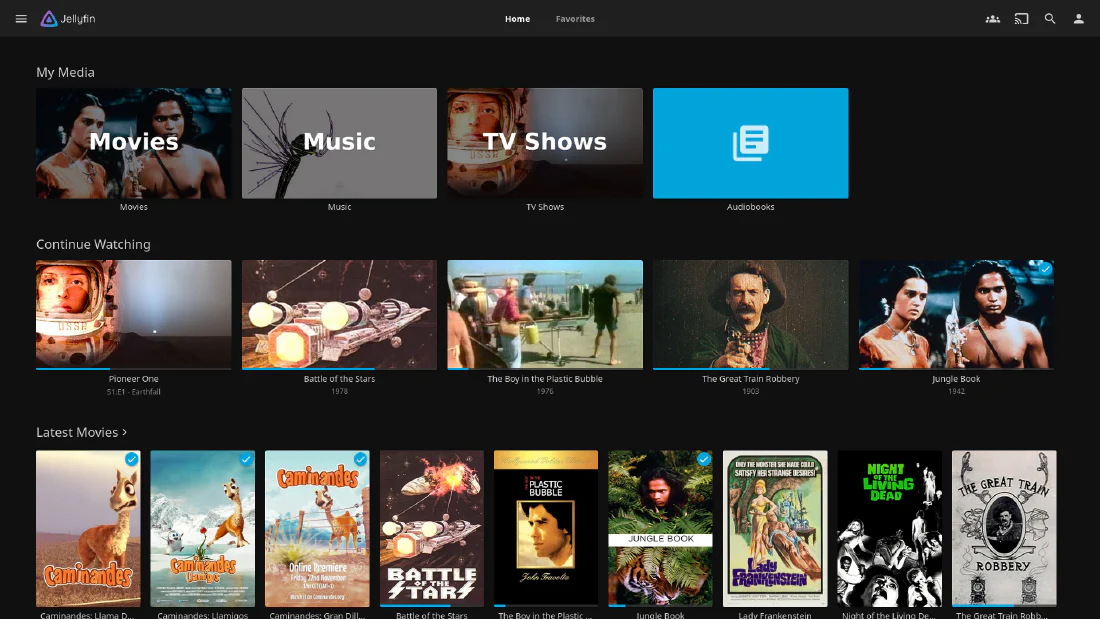
Plex is gone. I ran it for the polish, and the polish was real, but it comes attached to an account, a cloud relay, a login server, and a slowly growing conviction that my own films are somehow a subscription. Jellyfin has none of that. It’s my server, on my LAN, answering to nobody.
  jellyfin:
    image: lscr.io/linuxserver/jellyfin:latest
    container_name: jellyfin
    ports:
      - "8096:8096"
    environment:
      - PUID=${PUID}
      - PGID=${PGID}
      - TZ=${TZ}
    group_add:
      - "993"   # run: getent group render | cut -d: -f3
    devices:
      - /dev/dri:/dev/dri
    volumes:
      - /home/donkey/Docker/media/Settings/Jellyfin:/config
      - /home/donkey/Docker/media/data/media:/data/media
    restart: unless-stopped
No Gluetun. Jellyfin publishes its own port and streams directly on the LAN, for the reasons covered earlier.
devices: /dev/dri exposes the Intel GPU. Without it, transcoding falls to the CPU and a single 4K stream will flatten the N100.
group_add is where I’ve to make a confession. My Compose file says 109, which I copied from a guide years ago. The actual render group on my host is 993. Run this on your machine and use your number:
getent group render | cut -d: -f3
The reason I didn’t notice for nine months is that the LinuxServer images automatically add the group of any device you pass through, so hardware acceleration worked anyway, in spite of my configuration rather than because of it. Verify rather than assume:
docker exec -u abc jellyfin \
  /usr/lib/jellyfin-ffmpeg/vainfo --display drm --device /dev/dri/renderD128
You want to see the iHD driver load and a list of supported profiles. Mine reports Intel iHD driver for Intel(R) Gen Graphics - 25.3.4, which means QuickSync is genuinely doing the work.
While we’re being honest, a second confession. For months my encoding.xml had HardwareAccelerationType set to qsv with an empty QsvDevice, while only VaapiDevice was populated. Jellyfin was being asked to use an accelerator I hadn’t given it an address for. On this hardware you want VAAPI:
<HardwareAccelerationType>vaapi</HardwareAccelerationType>
<VaapiDevice>/dev/dri/renderD128</VaapiDevice>
<EnableTonemapping>true</EnableTonemapping>
Restart the container and check the startup log actually lists vaapi among the available types. A setting that’s wrong in a file nobody reads is worse than a setting that’s missing, because at least a missing one throws an error.
Configure your clients for Direct Play wherever possible. The fastest transcode is the one that never happens. Hardware acceleration is the safety net, not the plan.
Audiobookshelf
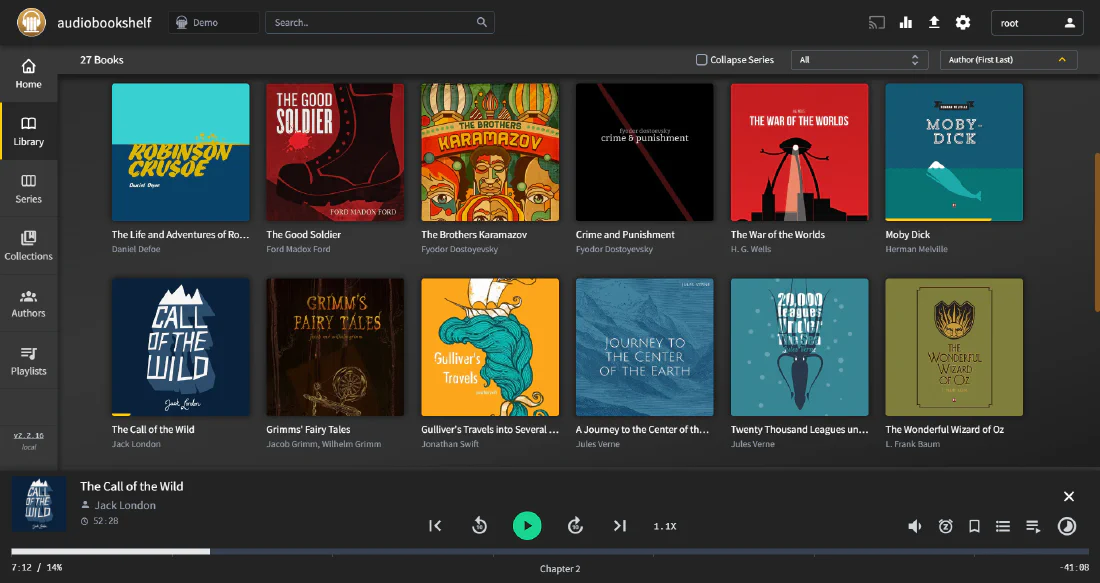
Audiobooks and podcasts, on the clean bridge alongside Jellyfin.
  audiobookshelf:
    image: ghcr.io/advplyr/audiobookshelf:latest
    container_name: audiobookshelf
    user: ${PUID}:${PGID}
    environment:
      - TZ=${TZ}
    ports:
      - "13378:80"
    volumes:
      - /home/donkey/Docker/media/Settings/AudioBookshelf/config:/config
      - /home/donkey/Docker/media/Settings/AudioBookshelf/metadata:/metadata
      - /home/donkey/Docker/media/data/podcasts:/podcasts
    restart: unless-stopped
It downloads podcasts on a schedule, keeps playback position synchronized across devices, and has decent mobile apps. Currently holding 6.7GB, which is 6.7GB of things I intend to listen to and probably won’t.
Part Seven: The Part That Actually Saves the Disk
This is the most important section in this post, and none of it existed in the original series.
Back in the hardware post I made a philosophical choice: I’m not a datahoarder, I’m a curator of films. One 512GB SSD, no NAS, no drive array, no fan noise. A rotating selection of things I actually intend to watch rather than 1000 films I’ll scroll past forever.
The problem is that a philosophical choice doesn’t delete anything. For months I was manually removing watched films, which is exactly the sort of chore you invent a home server to avoid. The disk hit 88% full and I started making decisions based on space rather than taste, which is precisely the failure mode I built this thing to escape.
The answer is a two stage lifecycle, and the two stages don’t know about each other.
Stage One: Maintainerr
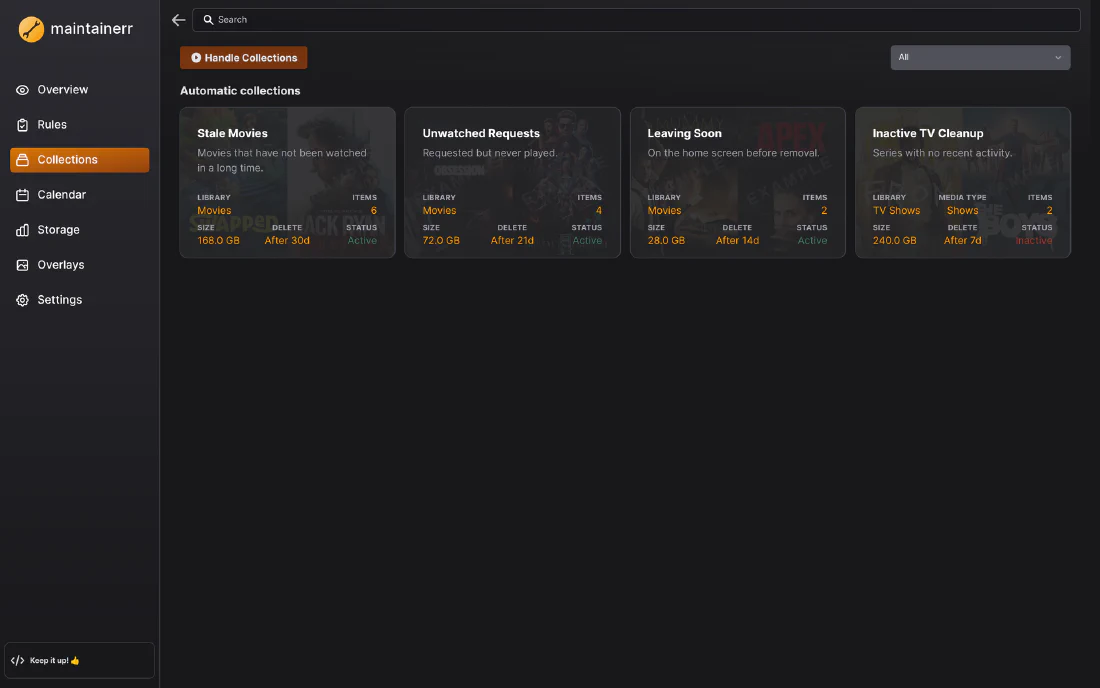
Maintainerr connects to Jellyfin, Sonarr and Radarr. It builds collections from rules, and then it acts on them.
services:
  maintainerr:
    image: ghcr.io/maintainerr/maintainerr:latest
    container_name: maintainerr
    user: "1000:1000"
    volumes:
      - type: bind
        source: ./data
        target: /opt/data
      - type: bind
        source: /home/donkey/Docker/media/data/media
        target: /data/media
    environment:
      - TZ=Etc/UTC
    ports:
      - "6246:6246"
    restart: unless-stopped
    healthcheck:
      test: ["CMD", "/opt/app/healthcheck.sh"]
      interval: 30s
      timeout: 5s
      start_period: 40s
      retries: 3
I run two rules, one for films and one for episodes:
- Films: watched more than 3 days ago, Radarr action unmonitor and delete files.
- Episodes: watched more than 3 days ago, Sonarr action unmonitor and delete files.
The Media Type for the series rule must be Episodes, not Show and not Seasons. Set it to Show and it will wait for you to finish an entire series before removing anything, which isn’t what you want for something releasing weekly. Set it to Episodes and it removes each episode three days after you watch it, whether the season is finished or not.
Three days is my number. It means I can rewatch something over a weekend, and it means an episode I watched on Monday is gone by Thursday. Adjust it upward if you’ve the disk.
The results, from the actual database on my server today:
| Collection | Items handled | Space reclaimed |
|---|---|---|
| Films watched 3+ days ago | 5 | 101.7 GB |
| Episodes watched 3+ days ago | 27 | 169.1 GB |
270GB. On a 466GB disk.
Wow. That isn’t an optimization, that’s the difference between the design working and the design not working.
Test with the deletion action set to Do Nothing first, and watch which items land in the collection for a few days. Maintainerr is doing exactly what you asked, and the risk is entirely that you asked for the wrong thing.
Stage Two: qBittorrent Share Limits
Maintainerr deletes the library copy. But the file is hardlinked, remember, so the disk space isn’t released until the last name pointing at that address is gone. The other name belongs to qBittorrent, which is still seeding.
So qBittorrent gets its own independent rule: seed for 3 days, then RemoveWithContent.
The two stages run on separate clocks and never coordinate, and this is the elegant part. Whichever one acts last is the one that actually frees the space. Maintainerr might remove the library copy on Thursday while the torrent seeds until Saturday, in which case Saturday is when the disk shrinks. Or the torrent finishes seeding first and the film stays watchable via the library hardlink until Maintainerr takes its turn. Either order works and no locking is required, because hardlink semantics do the coordination for free.
The whole lifecycle:
request  ->  download  ->  hardlink into library  ->  watch
                              |                        |
                              |                        v
                              |                 +3 days: Maintainerr
                              |                 removes library copy
                              v
                        +3 days seeding: qBittorrent
                        removes torrent + content
                              |
                              v
                    last link gone -> space returned
Since this went in, the disk sits at a comfortable 60% and has stopped being something I think about. That was the entire goal.
Part Eight: The Infra Stack
None of this touches the VPN, so it all lives in its own project on a plain bridge network.
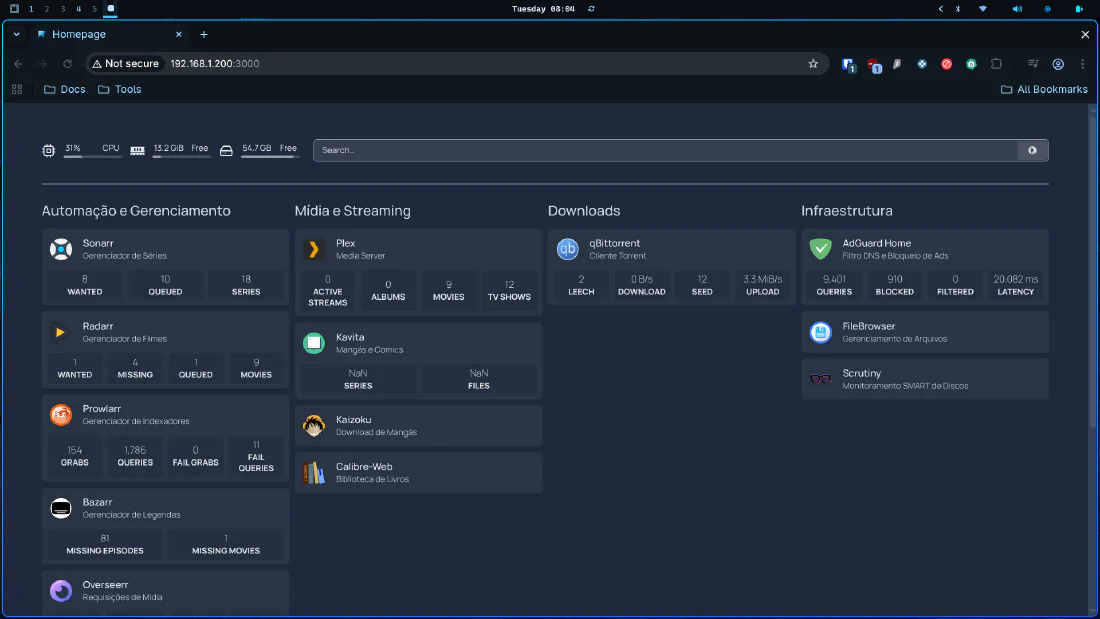
Homepage: Mission Control
  homepage:
    image: ghcr.io/gethomepage/homepage:latest
    container_name: homepage
    ports:
      - "80:3000"
    env_file:
      - ./.env.homepage
    environment:
      - HOMEPAGE_ALLOWED_HOSTS=*
    volumes:
      - /home/donkey/Docker/infra/Settings/Homepage:/app/config
      - /var/run/docker.sock:/var/run/docker.sock
    restart: unless-stopped
It owns port 80, so the server’s bare IP is the dashboard. Configuration is YAML:
- Automation:
    - Sonarr:
        icon: sonarr.svg
        href: http://192.168.1.200:8989
        description: Series manager
        container: sonarr
        widget:
          type: sonarr
          url: http://192.168.1.200:8989
          key: {{HOMEPAGE_VAR_SONARR_KEY}}
Two things to copy from that snippet. The widget URL is the LAN IP, not localhost, because Homepage lives in a different Compose project from Sonarr and the two don’t share a network. And the API key is a {{HOMEPAGE_VAR_*}} placeholder, resolved from .env.homepage, so the config file itself holds no secrets and can be backed up or pasted into a blog post without a moment of cold panic.
Uptime Kuma
  uptime-kuma:
    image: louislam/uptime-kuma:1
    container_name: uptime-kuma
    ports:
      - "3001:3001"
    volumes:
      - /home/donkey/Docker/infra/Settings/UptimeKuma/data:/app/data
      - /var/run/docker.sock:/var/run/docker.sock:ro
    restart: unless-stopped
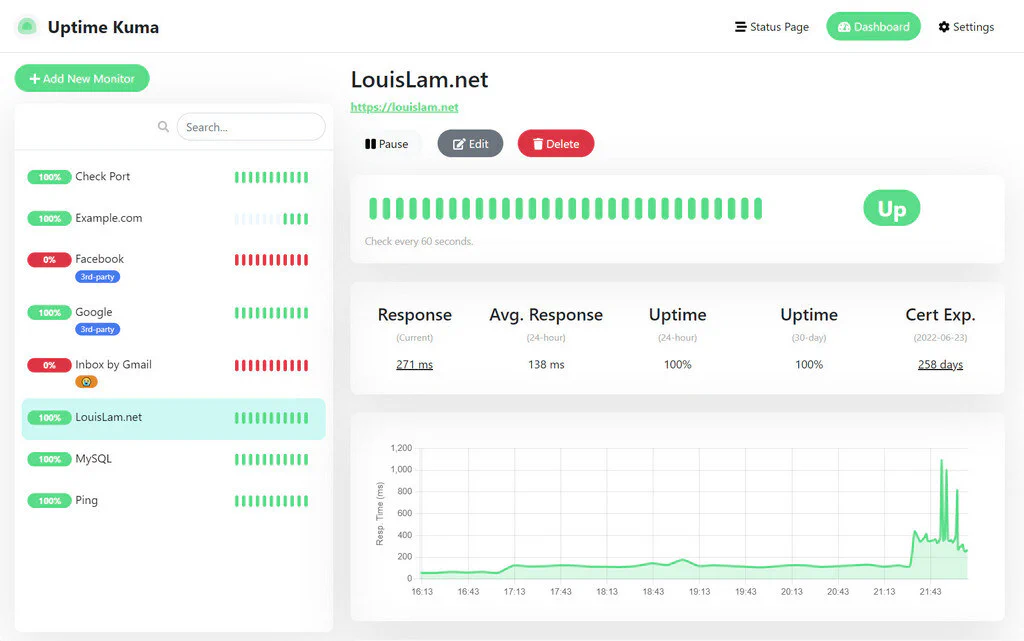
Homepage tells you a container is running. Uptime Kuma tells you it’s actually answering. Those are different questions, and a container that’s up but has wedged itself is the more common failure by a wide margin.
Diun: Update Notifications
  diun:
    image: crazymax/diun:latest
    container_name: diun
    command: serve
    volumes:
      - /home/donkey/Docker/infra/Settings/Diun/data:/data
      - /home/donkey/Docker/infra/Settings/Diun/diun.yml:/diun.yml:ro
      - /var/run/docker.sock:/var/run/docker.sock:ro
    environment:
      - TZ=${TZ}
    env_file:
      - .env.diun
    restart: unless-stopped
# Settings/Diun/diun.yml
watch:
  workers: 5
  schedule: "0 7 * * *"
  firstCheckNotif: false
  jitter: 30s

providers:
  docker:
    watchByDefault: true

notif:
  telegram:
    token: ${DIUN_NOTIF_TELEGRAM_TOKEN}
    chatIDs:
      - ${DIUN_NOTIF_TELEGRAM_CHATIDS}
Every morning at seven it checks whether any running image has a newer version, and messages me on Telegram if so. Notification only, never automatic. I don’t want my media server updating itself unattended at three in the morning, because the one time it breaks will be a Friday and I’ll be the one explaining to my wife why the television has opinions now.
Updating is deliberate and manual:
docker compose -f /home/donkey/Docker/infra/infra-compose.yml pull
docker compose -f /home/donkey/Docker/infra/infra-compose.yml up -d
FileBrowser
  filebrowser:
    image: filebrowser/filebrowser:latest
    container_name: filebrowser
    user: ${PUID}:${PGID}
    ports:
      - "8085:80"
    environment:
      - FB_PORT=80
    volumes:
      - /home/donkey/Docker/media/data:/srv
      - /home/donkey/Docker/infra/Settings/FileBrowser/filebrowser.db:/database.db
    command: ["--address", "0.0.0.0", "--port", "80", "--database", "/database.db"]
    restart: unless-stopped
For the handful of occasions when you need to look at a file from a phone and SSH would be absurd. Note it bind mounts the media project’s data directory from a different Compose project, which is completely fine. Cross project bind mounts are just paths on the host. Only networks are project scoped.
Memos
name: memos

services:
  memos:
    image: neosmemo/memos:stable
    container_name: memos
    restart: unless-stopped
    ports:
      - "5230:5230"
    volumes:
      - ./data:/var/opt/memos
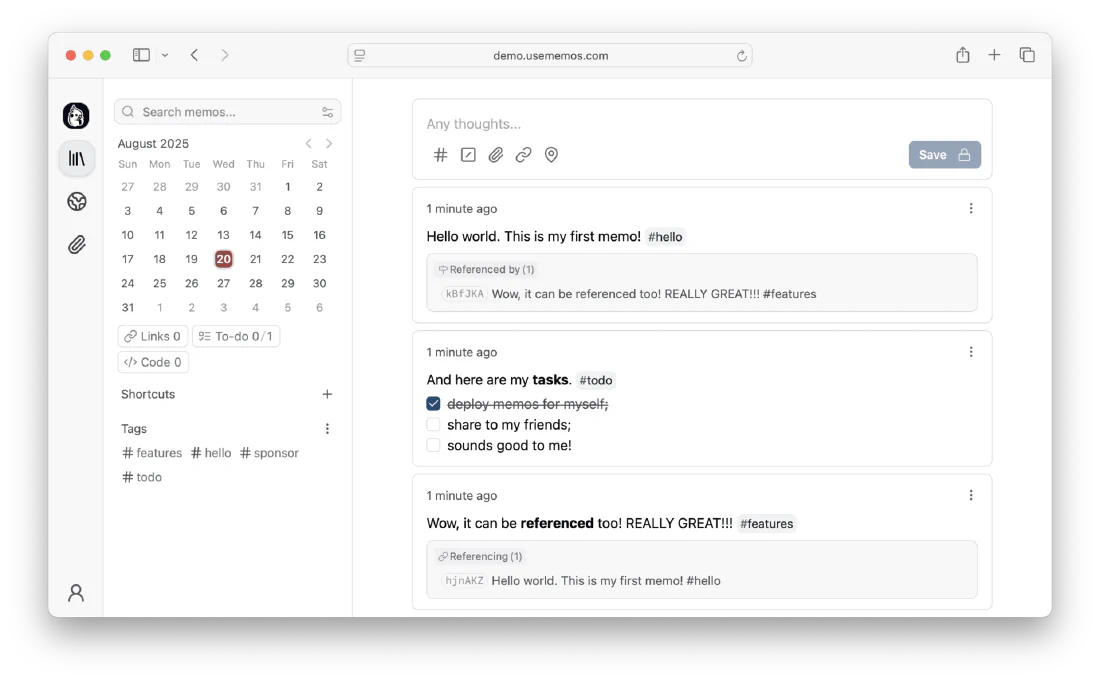
Self hosted notes, embedded SQLite, no separate database container to look after. Not strictly a media service. It’s where I keep the list of things to watch, which makes it the most media adjacent note taking application in the world.
Part Nine: The Graveyard
Every guide shows you the finished stack and implies it arrived that way. It didn’t. Here’s what I removed, and why, because knowing what to take out is worth more than knowing what to put in.
Plex. Replaced by Jellyfin. It’s genuinely more polished. It’s also an account, a cloud relay, and a company that has changed the terms of what I can do with my own hardware more than once. Jellyfin asks permission from nobody.
Overseerr. Replaced by Jellyseerr, which speaks Jellyfin natively rather than through a Plex shaped adapter.
Kaizoku, Kavita, Calibre-Web. Three containers doing what Komga does in one.
Portainer. A web interface for Docker, on a server I administer exclusively over SSH. I opened it perhaps four times in six months, twice of which were to check that Portainer was working. In short: I installed a monitoring tool and then monitored the monitoring tool.
Scrutiny. S.M.A.R.T. monitoring. Excellent software, and genuinely essential on a NAS with eight spinning disks. On a single SSD it told me that my single SSD was fine, daily, for months.
Caddy. This one deserves its own paragraph, because I added it, removed it, revived it, and killed it again, all within the same year and the last two within the same afternoon.
The idea was reverse proxying with friendly hostnames, sonarr.emulevision.home instead of 192.168.1.200:8989, with HTTPS via Caddy’s internal certificate authority. It worked perfectly on the first device. Then I picked up the iPad and got a certificate warning. Then the television. Then my wife’s phone. An internal CA means installing a root certificate on every single device, one at a time, forever, including devices where that’s somewhere between painful and impossible.
I removed it the same day. Every service is now reached by IP and port, exactly as it had been for the three months I spent thinking I wanted something better. The bookmark bar solves this problem for free.
The lesson isn’t that reverse proxies are bad. It’s that HTTPS on a LAN buys you almost nothing and costs you a certificate install on every device you own. Solve problems you actually have.
ActualBudget and ArchiSteamFarm. Fine software, nothing to do with a media server, gone.
Thirteen orphaned configuration directories went with them. If you take one operational habit from this post, take this one: when you remove a container, remove its Settings/ directory too. Otherwise you end up like I did, staring at a folder called Threadfin-Esp in 2026 with no memory of ever having installed a Threadfin, in Spanish or any other language.
Part Ten: Things That Will Go Wrong
These are all real, from this server, over nine months.
Gluetun restarted and half the stack lost the network
Expected. Containers using network_mode: service:gluetun hold a stale namespace reference after Gluetun is recreated. Never restart Gluetun on its own:
docker compose -f /home/donkey/Docker/media/media-compose.yml up -d
That respects depends_on and reattaches everything.
Sonarr cannot reach qBittorrent
Use http://localhost:8080. Not the container name, not the LAN IP. They’re the same network namespace. If you use the container name it will fail in a way that looks like a firewall problem and isn’t.
Jellyfin forgot everything I had watched
This is the one that actually hurt, and it’s worth understanding because it isn’t a bug.
When Sonarr or Radarr replaces a file, an upgrade to a better release, a rename, a re import after a failure, Jellyfin sees a new file and assigns it a new internal ID. Watch state is keyed on that ID. The old row survives in the database pointing at an item that no longer exists, and your history appears to have evaporated.
You can recover it, because the play events are still in ActivityLogs even when the link to BaseItems is broken. I reconstructed my full history by querying both:
docker exec jellyfin sqlite3 /config/data/data/jellyfin.db \
  "SELECT * FROM ActivityLogs WHERE Type LIKE '%Playback%' ORDER BY DateCreated DESC LIMIT 50;"
Two warnings from doing this myself. Check whether you’ve more than one jellyfin.db on disk, because a config directory restructure can leave an orphan holding months of history that the live database has never seen. Mine had two, covering completely different date ranges. And deduplicate before you count, because UserData stores roughly three rows per item, one per ID format. I confidently told myself I had watched 400 things before I noticed I had been counting everything three times.
The real mitigation is to configure Recyclarr sensibly so Sonarr and Radarr stop churning files in pursuit of marginally better releases. Fewer replacements, fewer broken references.
A series downloads but the episodes are wrong
Episode renumbering, as covered in the Bazarr section. Some shows genuinely exist as both a three episode and a five episode season depending on the metadata source. Fix the mapping in Sonarr before blaming anything downstream.
Downloads vanish from qBittorrent overnight
If you’ve configured share limits with RemoveWithContent, this isn’t a bug. It’s Tuesday. Check your seeding time limit before you go looking for a fault, ideally before you spend an hour reading Gluetun logs the way I did.
Hardlinks aren’t working
- Every media container must mount the same root volume.
- Downloads and library must be on the same file system.
- Check ownership matches your PUID and PGID.
- Verify by comparing
du -shon your torrents and media directories. If they add up to more than the disk is actually using, links are working. If they add up to exactly what the disk is using, they aren’t.
Part Eleven: What Is Still Wrong
An honest guide includes the parts that aren’t finished. So, the confessions.
No backups. None. Everything relies on
restart: unless-stoppedand the Docker daemon starting at boot. If that SSD dies tomorrow I lose every configuration in this post. The media I don’t much care about, because it’s by design transient. The configuration I would very much miss. This is the top of my list and has been for a while, which tells you something about how effective lists are.The host isn’t behind the VPN. The containers are.
aptand system DNS aren’t. Fixing it properly means a host level VPN client with careful routing so I don’t accidentally tunnel my own SSH session and lock myself out of a machine in another room.The kill switch is untested. The privacy guarantee is structural, which is to say the VPN routed containers have no other network interface and therefore cannot leak. I believe this. I’ve not proven it, because stopping Gluetun also stops AdGuard, which takes DNS down for the entire house. Test it during a maintenance window:
docker stop gluetun
docker exec sonarr curl -m 5 https://example.com   # must time out
docker compose -f media-compose.yml up -d
AdGuard has an orphaned DNS rewrite left over from the Caddy experiment, pointing
*.emulevision.homeat the server. Nothing listens on those ports any more, so it fails harmlessly. It has been sitting there since August and I keep not removing it.A single disk. 466GB, 60% full, no redundancy whatsoever. The lifecycle automation makes the capacity work, but capacity isn’t the same as safety. One drive is one point of failure.
The Whole Thing
# Bring everything up
docker compose -f /home/donkey/Docker/media/media-compose.yml up -d
docker compose -f /home/donkey/Docker/infra/infra-compose.yml up -d
docker compose -f /home/donkey/Docker/utilities/memos/docker-compose.yml up -d
docker compose -f /home/donkey/Docker/utilities/maintainerr/docker-compose.yml up -d

# Confirm the tunnel is actually up and is not your own address
docker exec gluetun wget -qO- https://ipinfo.io/ip

# Confirm the GPU is available to Jellyfin
docker exec -u abc jellyfin \
  /usr/lib/jellyfin-ffmpeg/vainfo --display drm --device /dev/dri/renderD128

# Preview quality profile changes before applying them
docker exec recyclarr recyclarr sync --preview

# Disk pressure
df -h /
And the map:
http://192.168.1.200/          Homepage dashboard
http://192.168.1.200:8096      Jellyfin
http://192.168.1.200:5055      Jellyseerr
http://192.168.1.200:8989      Sonarr
http://192.168.1.200:7878      Radarr
http://192.168.1.200:6767      Bazarr
http://192.168.1.200:8080      qBittorrent
http://192.168.1.200:9696      Prowlarr
http://192.168.1.200:25600     Komga
http://192.168.1.200:3002      AdGuard Home
http://192.168.1.200:6246      Maintainerr
http://192.168.1.200:8085      FileBrowser
http://192.168.1.200:3001      Uptime Kuma
http://192.168.1.200:13378     Audiobookshelf
http://192.168.1.200:5230      Memos
DNS:  192.168.1.200:53         AdGuard DNS
Closing
Nine months of running this thing has taught me one lesson that outranks all the technical detail above, so I’ll end on it.
The stack isn’t the hard part. Anybody can paste a Compose file. Twenty two containers came up on the first attempt and have needed almost nothing since. What actually determines whether a home server is a pleasure or a second job is the boring operational scaffolding: something that manages quality profiles so you stop fiddling with them, something that clears out failed downloads so you stop noticing them, something that deletes what you’ve already watched so you never have to choose between a film and free space.
The original series ended with a working server. This one ends with a server that maintains itself, which is a different and considerably better thing.
Meanwhile, streaming services have raised prices again, added another advertising tier, and deleted more of their own back catalog. €60 a month here in Italy for the main platforms, €720 a year, for the privilege of watching a series in whatever resolution the platform feels like providing this evening, with subtitles apparently translated by someone doing it as a bet.
Mine cost €120 once, runs on about 10 watts, holds exactly what I want to watch this week, and has been up for twenty five days without me thinking about it at all.
I’d call that an improvement. Slightly.

See you in the next post.