Heroes of Might and Magic III is one of those games I keep going back to. It is from 1999, it is turn-based, the graphics are hand-drawn 2D, and it is still better than most strategy games released since. Twenty-seven years later nobody has replaced it, and honestly, I have stopped waiting for anyone to try.
The GOG version, Heroes of Might and Magic III: Complete, bundles the base game with both expansions and is supposed to be the easy way to play it today. On Windows, it mostly is. On Linux, running through Heroic Games Launcher with GE-Proton, it very much was not.
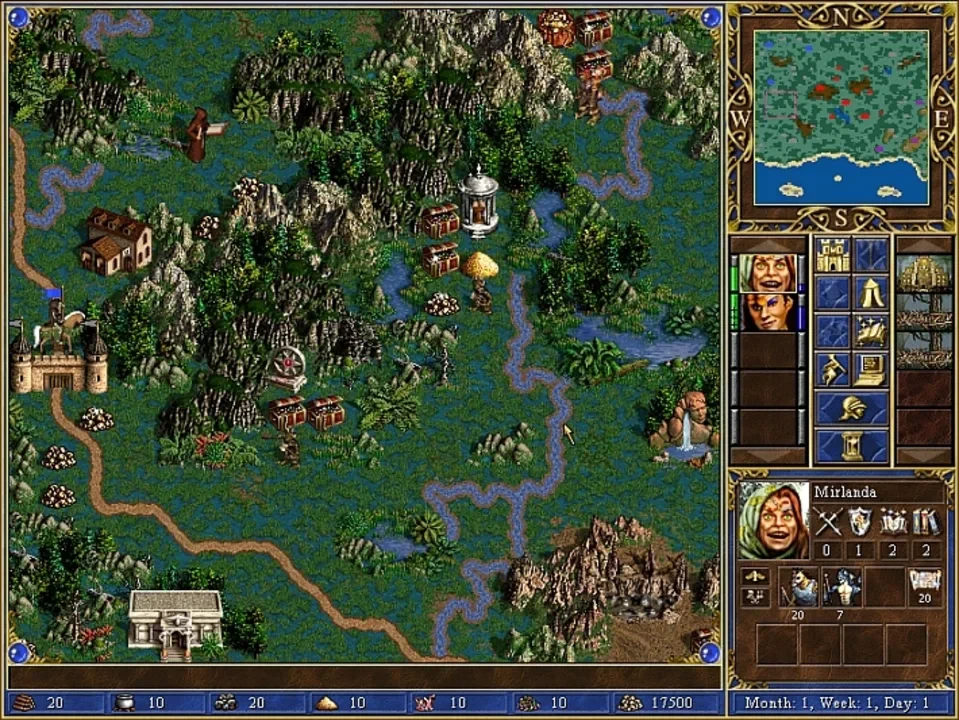
This is a write-up of what was broken, why, and the exact fix that got it running on my Arch setup (Omarchy, Hyprland, Wayland). If you just want the recipe, skip to the end. I won’t be offended.
The setup
The game was installed through Heroic from my GOG library, configured to run with GE-Proton11-5. Out of the box, clicking play did… nothing. Or rather, something that looked like nothing: a process flickering into existence and dying within seconds. No window, no error, no crash dialog.
Nothing is the worst possible error message.
Problem one: the game crashes before any window appears
The first step with a silent Wine failure is to stop clicking buttons in a launcher and run the thing by hand, capturing everything:
cd "~/Games/Heroic/HoMM 3 Complete"
STEAM_COMPAT_DATA_PATH="~/Games/Heroic/Prefixes/Heroes of Might and Magic 3 Complete" \
STEAM_COMPAT_CLIENT_INSTALL_PATH="$HOME/.local/share/Steam" \
WINEDEBUG=+seh,+loaddll \
~/.local/share/Steam/compatibilitytools.d/GE-Proton11-5/proton run Heroes3.exe
The important lines in the output:
00e4:trace:seh:dispatch_exception code=c0000005 (EXCEPTION_ACCESS_VIOLATION)
00e4:trace:seh:dispatch_exception eip=7af4d602 ...
00e4:err:seh:NtRaiseException Unhandled exception code c0000409 flags 1 addr 0x7b101f30
An access violation (a null pointer read), followed by 0xC0000409 (a fail-fast abort), killing the process before it ever showed a window. The useful part of WINEDEBUG=+loaddll is that it logs the load address of every DLL, so you can map the crash address 7af4d602 to a module. The winner:
00e4:trace:loaddll:build_module Loaded L"X:\\Games\\Heroic\\HoMM 3 Complete\\xdd.dll" at 7AF30000: native
The crash was inside xdd.dll, sitting at 7AF30000. So what is xdd.dll? Running strings on it answered immediately: it is DDrawCompat, renamed. GOG ships this wrapper DLL with the game to translate the ancient DirectDraw API into something modern Windows can display. On real Windows it works fine. Under Wine, which already implements DirectDraw natively, it tried to hook into a graphics stack that did not behave the way it expected, dereferenced something null, and took the whole process down before the first frame.
Two DirectDraw implementations fighting over the same game. Of course it crashed.
The fix, which I found in community reports for exactly this game: replace GOG’s DDrawCompat with cnc-ddraw, a much more battle-tested DirectDraw wrapper that is actively maintained and known to behave under Wine:
# backup the original
cp xdd.dll xdd.dll.bak
# download cnc-ddraw, extract, and rename its ddraw.dll to xdd.dll
cp /path/to/cnc-ddraw/ddraw.dll xdd.dll
cp /path/to/cnc-ddraw/ddraw.ini .
Why rename instead of deleting? Because Heroes3.exe links against xdd.dll by name. Remove it and the game does not start at all. Renaming cnc-ddraw’s DLL to xdd.dll satisfies the import while swapping the implementation underneath.
Result: the game launched, the window appeared, the intro video played. Progress.
Problem two: dead keyboard and mouse
Except now I could not skip the intro. Keyboard dead, mouse dead, almost. And here is the weird detail: F1 worked, and it opened the game’s help file. That turned out to be the entire diagnosis.
F1 opening help is handled at the Windows message level. The game’s actual menu and video input, though, goes through the old DirectDraw-era input path. So raw Win32 keyboard messages were arriving, but the input path the game actually listens to was broken. Which pointed back at the wrapper layer, not at Hyprland, not at Wayland. I confess I was already blaming the compositor. I was wrong.
Two changes in cnc-ddraw’s ddraw.ini fixed it:
hook_peekmessage=true
renderer=gdi
hook_peekmessage=true exists specifically for games of this era. Old Windows games poll for input using PeekMessage loops instead of waiting on events the way modern applications do. Wine’s message queue does not always deliver input to that polling pattern reliably, and this hook makes cnc-ddraw bridge the gap.
renderer=gdi was the second half. The default auto renderer picks a Direct3D-based path, which under Wine gets translated through wined3d, and in my case that produced a black screen right after the intro cinematic, in the exact spot where the main menu should have rendered. And a black menu looks exactly like dead input: you press Escape, you click around, nothing visibly responds, and you conclude the game is frozen. Switching to the plain GDI renderer, boring, CPU-drawn, completely unglamorous, made the menu actually appear. For a 640x480 game from 1999, GDI is more than fast enough, and cnc-ddraw still handles the upscaling to modern resolutions on top of it.
I verified the whole chain end-to-end by scripting synthetic input through XTEST (moving the pointer into the game window, sending Escape and clicks) and taking screenshots with grim between steps: the 3DO logo skipped, the intro cinematic skipped, the main menu rendered, and the clicks registered. Only then did I declare victory.
The recipe
If you want the short version:
- Install HoMM III Complete from GOG via Heroic (GE-Proton works fine, no need to downgrade).
- In the game folder, back up
xdd.dlltoxdd.dll.bak. - Download cnc-ddraw, extract it, copy its
ddraw.dllinto the game folder asxdd.dll, and copyddraw.inithere too. - In
ddraw.ini, sethook_peekmessage=trueandrenderer=gdi. - Play.
What I take from this
The lesson, if there is one: when an old game fails silently under Proton, run it by hand with WINEDEBUG=+seh,+loaddll. The exception code tells you that it crashed. The DLL load addresses tell you where. And “where” is almost always the one wrapper DLL you need to replace.
The other lesson is cheaper and more useful: when input seems dead but F1 works, suspect the rendering and input wrapper before you suspect your compositor. A black screen and a frozen game are indistinguishable from the outside.
Anyway. The game runs, the campaign is waiting, and I have a castle to build.